
Quickly and easily type
real Pīnyīn text with tone marks
to write down anything you hear
or want to say in Mandarin,
just about anytime, anywhere
*** Pīnyīn Typist works in iOS 18.x & iPadOS 18.x, and can run on Apple Silicon Macs. ***
*** An update of Pīnyīn Typist that fully supports iOS 26 & iPadOS 26 is in the works. ***

Pīnyīn Typist is noticeably
the quickest, easiest, most natural,
most fun, and most beautifully
iOS/iPadOS-native way to type
exactly the professional-quality
Pīnyīn that you want,
with proper diacritical tone marks,
on the iPad, the iPhone,
and the iPod touch.
Pīnyīn Typist lets you
quickly and easily type Pīnyīn
with tone marks
while using Apple’s
system keyboards,
and it lets you benefit from
their features, like
predictive text, text replacement,
etc., as well as
future enhancements.
Pīnyīn Typist similarly works with
third-party keyboards like
SwiftKey, Fleksy, TextExpander, etc.
Its nice, big tone mark, Ü,
hyphen, and apostrophe buttons
work with just a simple tap,
with the same rhythm as
regular typing.
It even puts the tone marks
over the right vowels and
corrects incorrect tone marks
for you!
Pīnyīn Typist turns typing Pīnyīn
from a pain into a pleasure.
For tweets on Pīnyīn and the post-PC revolution:
Follow @troubadourww

 More Screenshots…
Contents
- Overview
- Pīnyīn is a Good, Workable Writing System On Its Own
- What Some Have Said About Pīnyīn Typist
- How to Type Pīnyīn in Pīnyīn Typist
- Cantonese Yale Romanization
- Adding and Correcting Tone Marks
- Using a Hardware Keyboard
- Other Features
- Pīnyīn Text With Formatting
- System Requirements
- Education Discount
- Feedback and Support
- Produced with Pīnyīn Typist:
“Why Chinese Is So…Hard” by David Moser—Pīnyīn Version - Twitter Pīnyīn Tone Marks Search Test Results
Overview
Pīnyīn makes reading and writing Mandarin Chinese as quick and easy as it ought to be, and Pīnyīn Typist makes typing real, professional-quality Pīnyīn with tone marks as quick and easy as it ought to be. Pīnyīn Typist was the first iOS Pīnyīn typing app, and it’s still the best.
Pīnyīn Typist launches quickly, so with it on your iPad, iPhone, or iPod touch, you can quickly, easily, and naturally type Pīnyīn text to write down anything you hear or want to say in Mandarin, just about anytime the need arises or inspiration strikes.
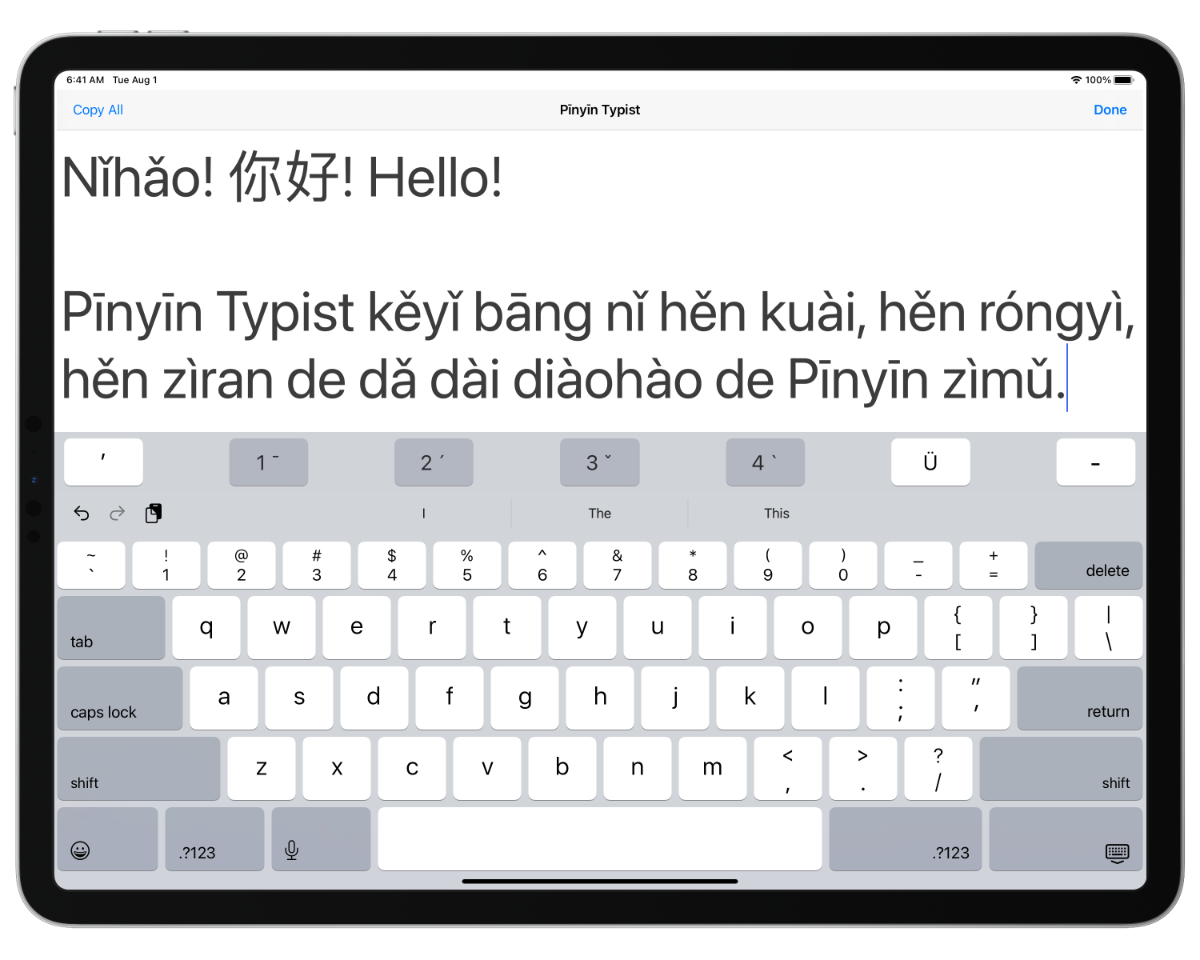
Pīnyīn Typist’s nice, big tone mark, Ü, hyphen, and apostrophe buttons are all on the main screen, and they work with just a simple tap—no waiting, holding and sliding, or switching keyboards needed. You just type normally and naturally, quickly and easily producing professional-quality, typographically correct Pīnyīn.
Pīnyīn Typist even puts the tone marks over the right vowels for you, and it also lets you correct incorrect tone marks without having to backspace and retype!
Pīnyīn, with its dastardly, diabolical diacritical tone marks, has historically been a pain to type into computing devices. So, Pīnyīn Typist was developed to provide the quickest, easiest, most natural, most fun, and most beautifully iOS-native way to type exactly the Pīnyīn you want, with proper diacritical tone marks, on the iPad, the iPhone, and the iPod touch. It turns typing Pīnyīn from a pain into a pleasure.
With its simple yet powerful and battle-tested design, and with its high-quality, Unicode standard-compliant Pīnyīn output, Pīnyīn Typist is a must-have app if you are learning or teaching Mandarin, or if at times you want to or need to write down Mandarin expressions, but you or the one(s) you’re writing to don’t (or don’t want to have to) know all the Chinese characters involved. (THIS APP IS NOT AN ALTERNATIVE WAY TO TYPE CHINESE CHARACTERS—it supports the standard iOS ways of entering characters.)
After typing some Pīnyīn with tone marks in the Pīnyīn Typing tab view of Pīnyīn Typist (you can also paste in Unicode text copied from elsewhere, and you can type whatever iOS’s international keyboards let you type, e.g. Chinese characters), you can then
- copy it with the touch of a button (or in the usual iOS way) and paste it elsewhere (e.g. Skype, Twitter, Messages (with iMessage), Pages, Word, Vesper, etc.),
- save the text as a snippet,
- email it (using formatted HTML email), or
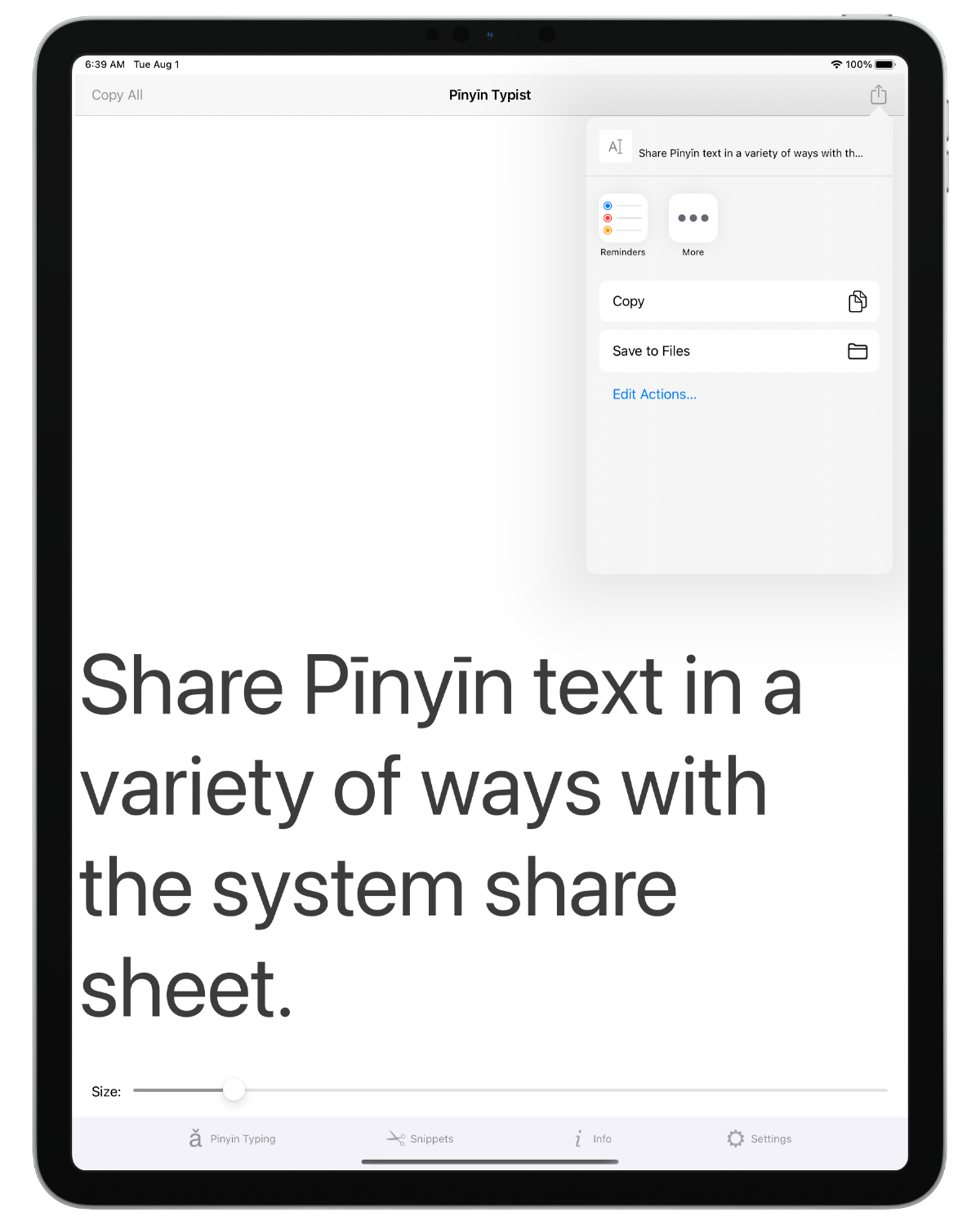
- share it in the various ways enabled by iOS, including Messages, AirDrop, Twitter, Facebook, Sina Weibo, and Tencent Weibo.
Note: Pīnyīn Typist can also be used to type Cantonese Yale romanization, as explained below.
Pīnyīn is a Good, Workable Writing System On Its Own
Pīnyīn is the official standard of the People’s Republic of China, Taiwan, the UN, and the ISO for using the Latin alphabet to write Mandarin Chinese. The Pīnyīn system was developed in China by Chinese people, so it is a product of Chinese culture, and it is a part of Chinese culture.
While Pīnyīn works well as a pronunciation aid, that’s not all it is—like Chinese Braille (which is based on Pīnyīn), Pīnyīn in fact linguistically qualifies as and works well as a full writing system for Mandarin.
A Sumerian proverb stated, “a scribe whose hand matches the mouth, he is indeed a scribe”, and Pīnyīn can indeed be used to write anything that can be spoken in Modern Standard Mandarin. So, it qualifies as a full writing system for Modern Standard Mandarin in this fundamental sense, for example.
That Pīnyīn is a full writing system for any and all Modern Standard Mandarin speech means that, in addition to it being correct to say that “Pīnyīn is Chinese” because it was developed in China by Chinese people, it is also quite correct to say that “Pīnyīn is Chinese” in the sense that, even if it isn’t Hànzì (Chinese characters), Pīnyīn is indeed written Mandarin Chinese—it’s not as if Pīnyīn were written English or French or something.
Also, since Pīnyīn is not just a pronunciation aid, but a full writing system, it is not “training wheels”—it’s regular wheels. In contrast, Chinese characters are like non-round wheels—more difficult than necessary. While some may find non-round wheels “interesting”, or maybe even beautiful, much of the time we just need to get from point A to point B as quickly and easily as possible. At times, we may even need to do so to save someone’s life! We can note, for example, that ambulances generally use wheels that are quite round. Similarly, Pīnyīn can help precious communication to flow without unnecessary difficulty.
Practically speaking, we should keep in mind that, as many have found, by investing the minimal amount of time and effort needed to learn and get used to the Pīnyīn system, we will be equipped to always be able to quickly and easily read anything in Mandarin that’s written in Pīnyīn, and we will always be able to quickly and easily write anything in Mandarin using Pīnyīn. In contrast, even those who are fairly familiar with Chinese characters will at times come across unfamiliar or forgotten characters whose meanings and pronunciations they can only guess at. Also, even those who are fairly familiar with Chinese characters will at times be completely unable to remember or figure out how to write a certain character.
Keep in mind also that since, as mentioned above, Pīnyīn is a product of Chinese culture, using Pīnyīn is not an imposition of Western culture—it is an application of Chinese culture! In fact, the Chinese developers of Pīnyīn of their own free will purposely chose to base it on the international Latin alphabet (it’s not just the English alphabet) so that users of Pīnyīn would benefit from its familiarity. The experiences of many, Chinese and non-Chinese alike, have shown that they were right to do so.
“One of the basic assumptions of modern linguistics [the scientific study of language]…is that speech is primary and writing is secondary”. Yes, speech is the foundation on which writing must be built, not vice-versa. (That is just a natural result of the way we are made—our bodies have the built-in ability to produce speech, but writing requires external aids such as pens and paper, keyboards and screens, etc.) Thus, it is very good that the Pīnyīn writing system represents Mandarin speech so straightforwardly and easily, and that it enables us to focus on speech. Yes, while Chinese characters, as beautiful and traditional as they are, demand distractingly large commitments of precious time and energy just for themselves, the Pīnyīn writing system frees and empowers us to focus on communicating in Mandarin.
Communication, after all, is the main and most important purpose of language, and it is the lifeblood of good relationships.
What Some Have Said About Pīnyīn Typist
Here are some comments about Pīnyīn Typist from experts and happy users:
“Congratulations for an excellent and *very* useful piece of work.”
—Marjolein Hoekstra, on Quora“There is now an app which makes it really easy to type Pinyin on iOS devices and then email the result or copy/paste it to other apps” “Nice work!”
—Tom Gewecke of Multilingual Mac, here and here“Pinyin Typist works even better as an app rather than an input method.”
—John Pasden of Sinosplice, ChinesePod, and AllSet Learning, in this post“The most efficient way that I’ve seen to get proper tones marks in iOS.” “It is a lot more convenient than the alternatives that I know of (using a character-to-pinyin converter app or website, or using one of several apps that let you pick individual unicode characters).” “I think it’s essential for students and teachers of Chinese, or anyone who works with pinyin in iOS.”
—Lin Ai of 中网 Zhongweb Chinese, here, here, and here.“If you have a need to type Pinyin on iOS, it’s the way to go.”
—Taffy of Tailingua, on pinyin.info“Good App! ★★★★★
“Is helping me to take notes in pinyin while learning basic Chinese. Would recommend!”
—emrys52, user“Does exactly what I need it to do ★★★★★
“I use this app to type out Mandarin speeches in pinyin. Works perfectly for my needs.”
—lechuan8, user“Great app for typing pinyin on my iPad ★★★★★
“This is a great app if you want to type your own pinyin words. It’s really easy to use and you can set the correct tones right at your fingertips. I would recommend this to anyone who is learning Mandarin Chinese.”
—Garycy, user“Awesome! Zhēn hǎo! ★★★★★
“So easy to work with. ... Super app! Xièxiè. I use it e.g. for my continuous traditional Chinese medical study and work. It saves time and I can focus on content instead of being busy finding the right key(s). Study? Hobby? Mail with Chinese friends? Just enjoy I’d say! ... the flexibility and easy approach this software offers! If you are into Chinese stuff in whatever way, this app is an absolute must have!”
—Joaozhino35, user“Hǎo jíle ★★★★★
“I am very happy with this app. Keep up the good work 10/10.”
—Alexanderr H, user“This app is hands down the best way to type in Pinyin.”
—azmenak, user“This is a very fast way of creating Pinyin text. And the font size slider is actually a nice feature. Worth the price.”
—KomodoVan, user“I love it!”
—Eunice, user“What a fantastic app. Thanks so much. I love it!!!”
—SG, user“My life saver: the Pinyin Typist app”
—Pramesti, user, on Twitter
How to Type Pīnyīn in Pīnyīn Typist
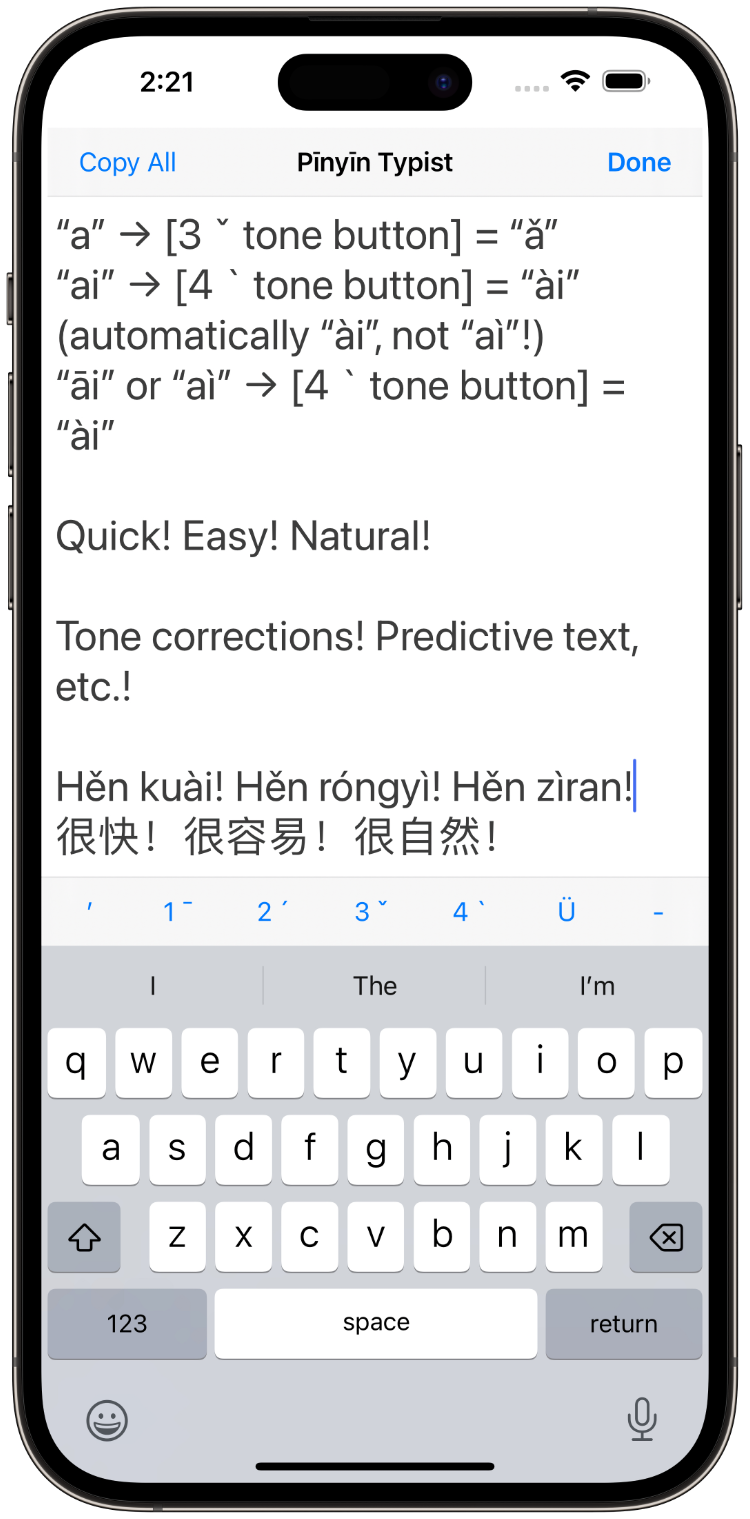
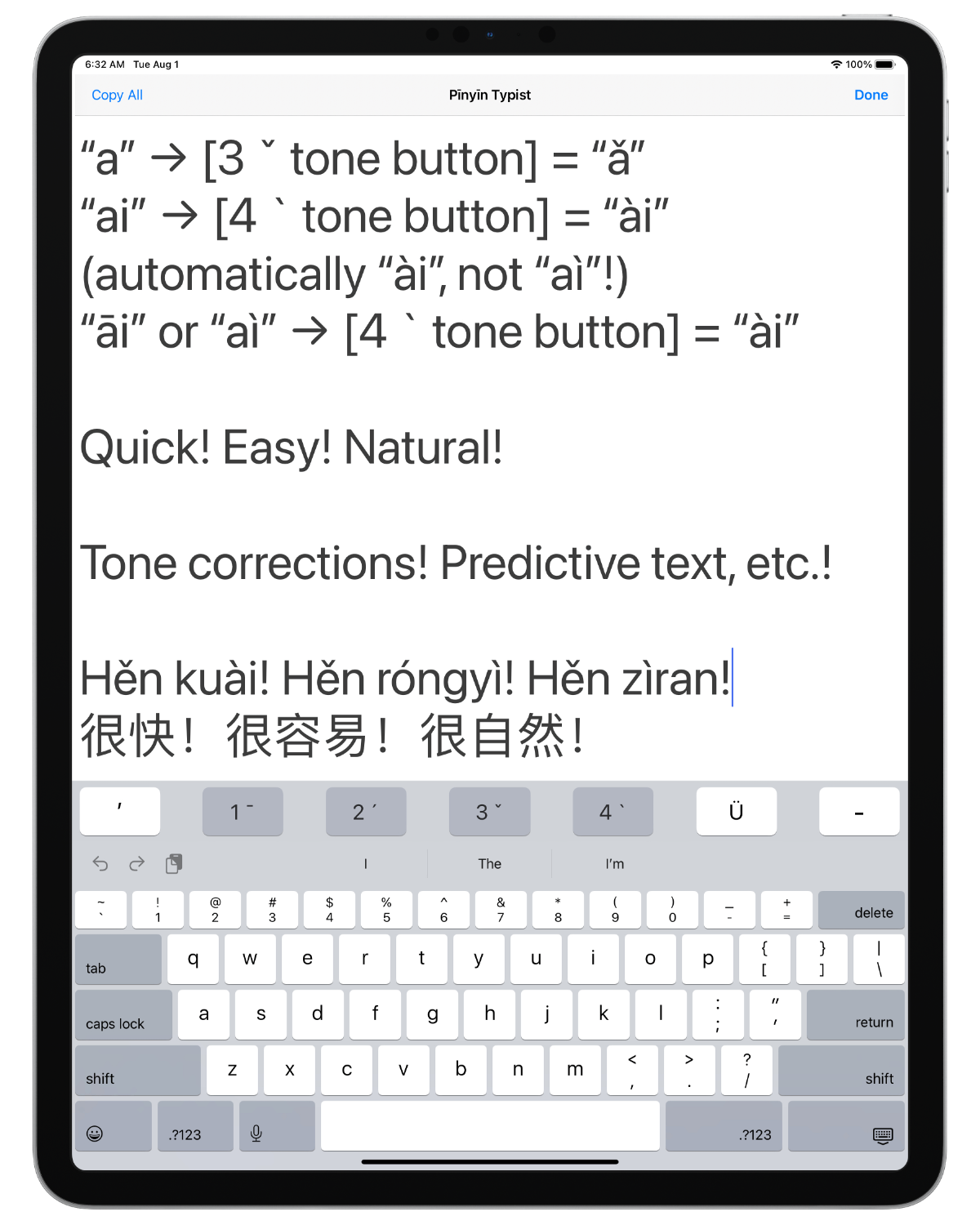
Here are some examples showing how to type vowels with Pīnyīn tone marks in the Pīnyīn Typing tab view of Pīnyīn Typist:
- Type “a” → tap “3 ˇ” tone button = “ǎ”
- Note: Pīnyīn Typist can be used this way to type Cantonese Yale romanization, as explained below.
- Type “ai” → tap “4 `” tone button = “ài” (not “aì”!)
- Pīnyīn Typist automatically puts the tone marks over the right vowels for you!
- After “āi” or “aì”, tap “4 `” tone button = “ài”
- If you tap the wrong tone button by mistake, causing the wrong tone mark to be added, then just tap the correct tone button while the insertion point is still where it was. The wrong tone mark will then be replaced by the correct tone mark.
- Type “U” → tap “Ü” button → tap “2 ´” tone button = “Ǘ”
Pīnyīn Typist can convert both lowercase and uppercase vowels, and it has dedicated Ü, ‐ (hyphen), and ’ (apostrophe) buttons that are all on the main screen—no waiting or extra taps are needed to access them.
All the Pīnyīn Typist toolbar buttons enter typographically correct Unicode characters.
- The ‐ (hyphen) button enters Unicode character U+2010 (HYPHEN).
- If this character isn’t supported by the font used where you paste text copied from Pīnyīn Typist, just use the hyphen-minus character typed with the regular keyboard instead.
- The ’ (apostrophe) button enters Unicode character U+2019 (RIGHT SINGLE QUOTATION MARK). According to the Unicode standard, this is the preferred character to use for an apostrophe.
Cantonese Yale Romanization
Here are some examples of the diacritical tone marks produced by Pīnyīn Typist’s tone buttons that can also be used as the diacritical tone marks for Cantonese Yale romanization:
- 1 ¯ button: ā (high-flat)
- 2 ´ button: á (…-rising)
- 4 ` button: à (…-falling)
Adding and Correcting Tone Marks
To add a Pīnyīn tone mark to an existing regular vowel, or to correct a Pīnyīn tone mark that’s showing the wrong tone or that’s over the wrong vowel, just
- move the insertion point to the immediate right of the Pīnyīn final in question, if the insertion point isn’t already there, and then
- tap the tone button above the regular keyboard for the tone you want.
Using a Hardware Keyboard
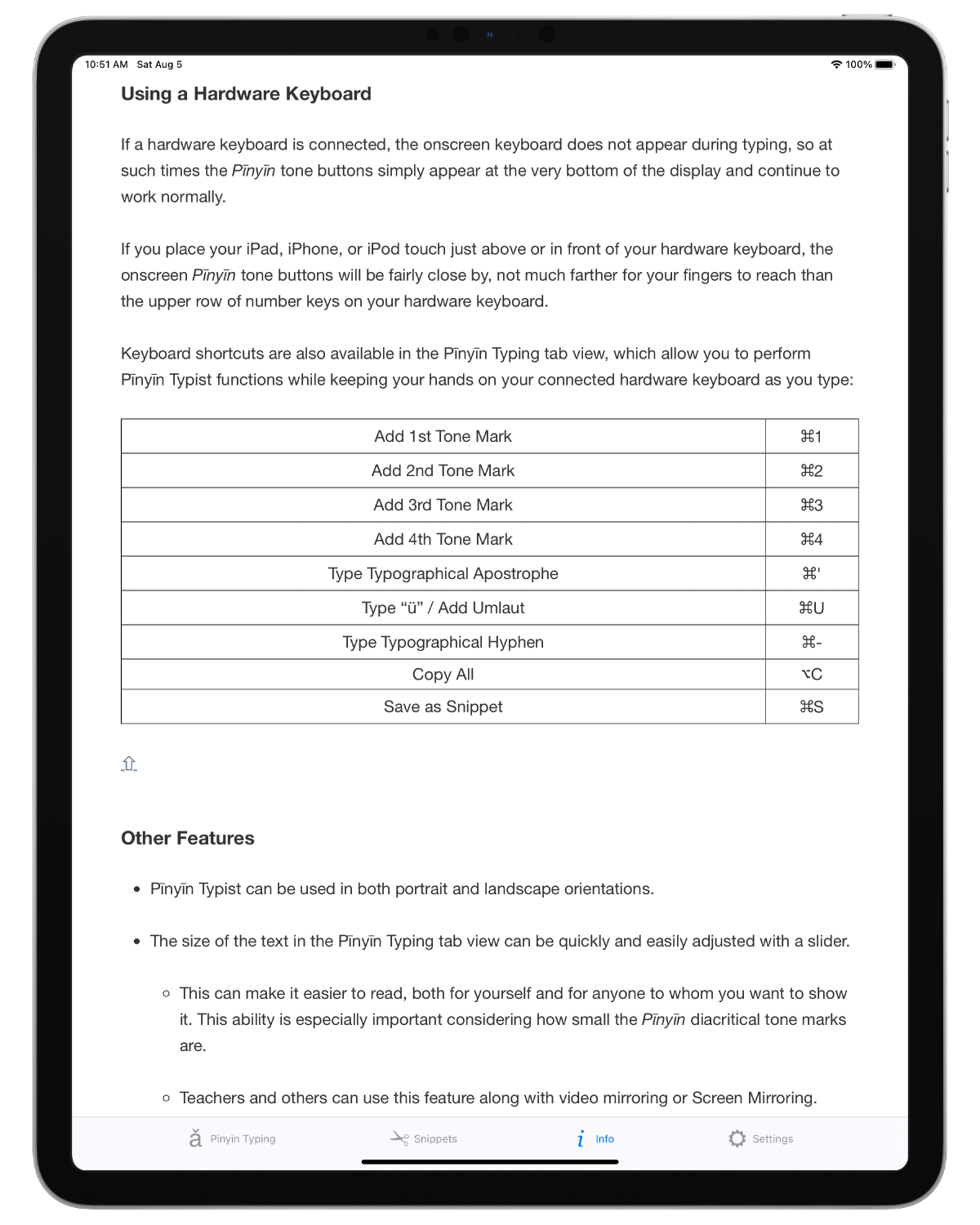
If a hardware keyboard is connected, the onscreen keyboard does not appear during typing, so at such times the Pīnyīn tone buttons simply appear at the very bottom of the display and continue to work normally.
If you place your iPad, iPhone, or iPod touch just above or in front of your hardware keyboard, the onscreen Pīnyīn tone buttons will be fairly close by, not much farther for your fingers to reach than the upper row of number keys on your hardware keyboard.
On iOS/iPadOS 13 and above, keyboard shortcuts are also available in the Pīnyīn Typing tab view, which allow you to perform Pīnyīn Typist functions while keeping your hands on your connected hardware keyboard as you type:
| Add 1st Tone Mark | ⌘1 |
| Add 2nd Tone Mark | ⌘2 |
| Add 3rd Tone Mark | ⌘3 |
| Add 4th Tone Mark | ⌘4 |
| Type Typographical Apostrophe | ⌘' |
| Type “ü” / Add Umlaut | ⌘U |
| Type Typographical Hyphen | ⌘- |
| Copy All | ⌥C |
| Save as Snippet | ⌘S |
Other Features
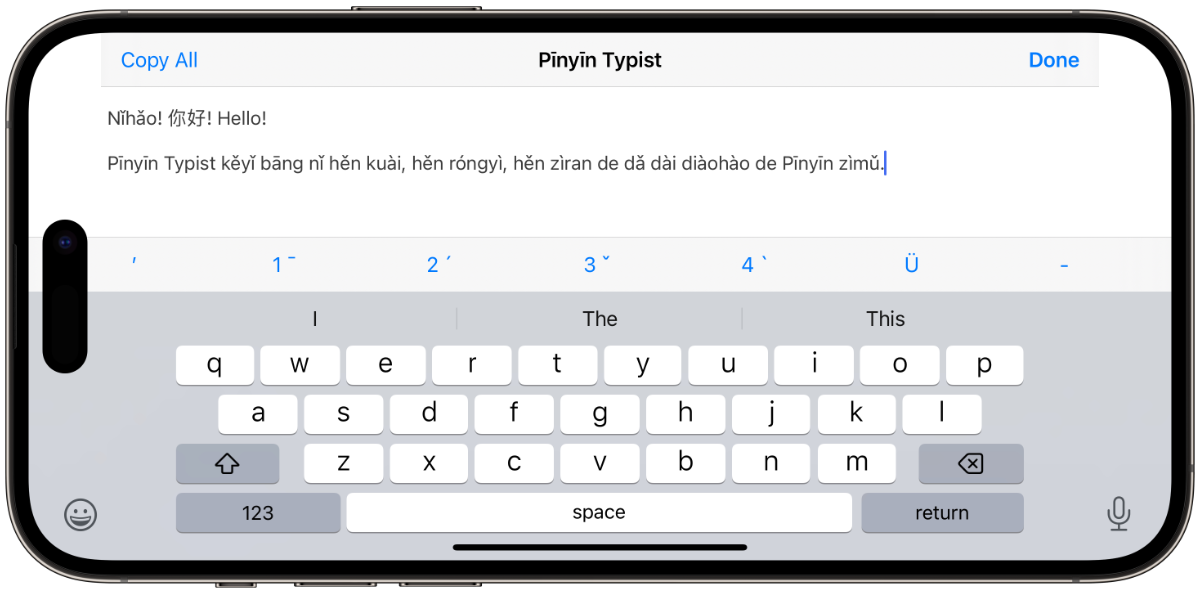
- Pīnyīn Typist can be used in both portrait and landscape orientations.
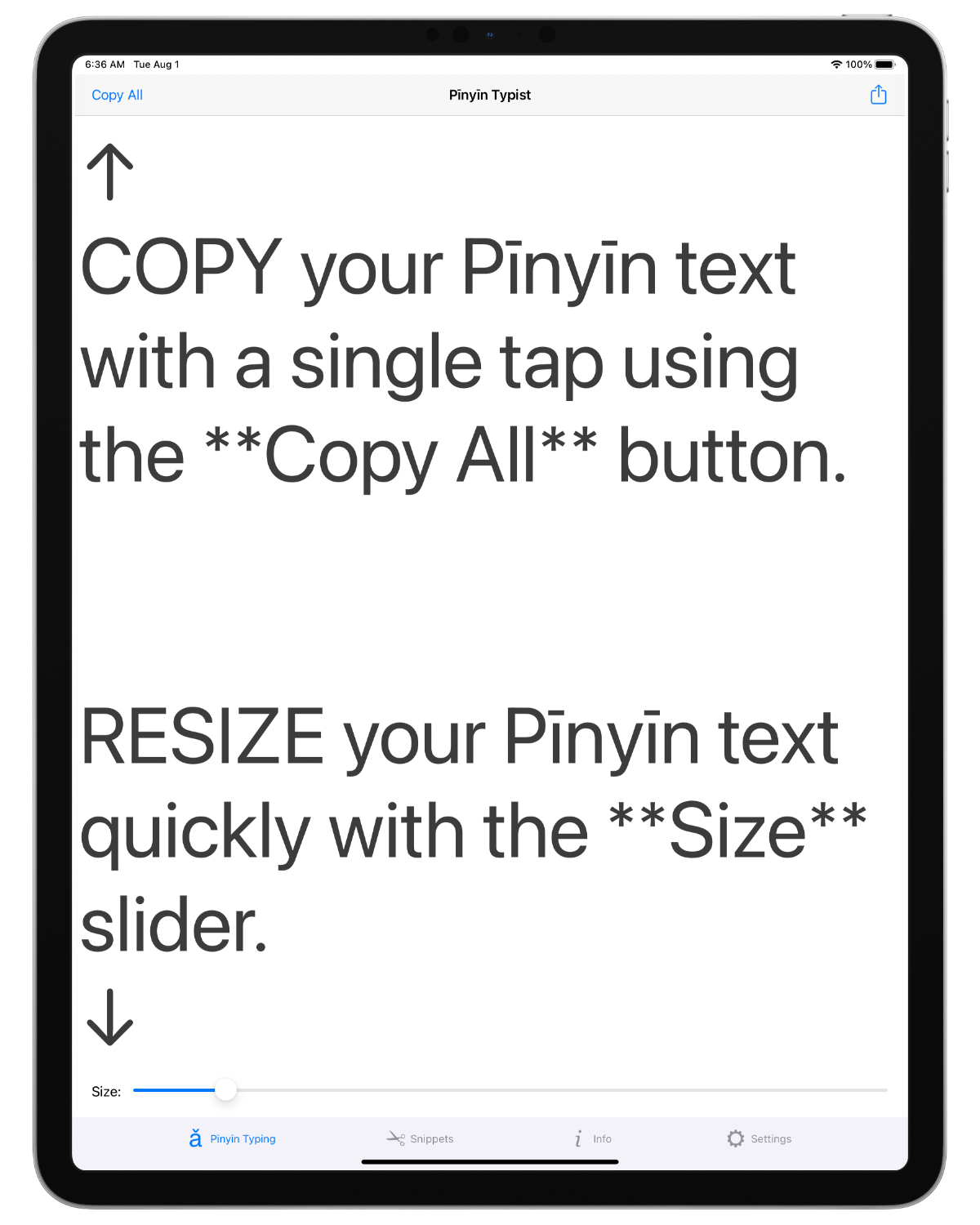
- The size of the text in the Pīnyīn Typing tab view can be quickly and easily adjusted with a slider.
- This can make it easier to read, both for yourself and for anyone to whom you want to show it. This ability is especially important considering how small the Pīnyīn diacritical tone marks are.
- Teachers and others can use this feature along with video mirroring or Screen Mirroring. Thus, a widescreen TV or a projector can be used to show custom Pīnyīn text to an entire roomful of people at once, while making sure they can make out the Pīnyīn tone marks clearly.
- All the text in the Pīnyīn Typing tab view can be copied to the clipboard at the touch of a button. Portions of it can also be selected and copied to the clipboard in the standard iOS/iPadOS way. The copied text can then be pasted anywhere that the standard iOS/iPadOS method for pasting text is supported, such as Skype, Twitter, Messages (with iMessage), Drafts, Pages, Word, etc.
- At the touch of another button, all the text in the Pīnyīn Typing tab view can be inserted directly into an email.
- Pīnyīn Typist sends emails in HTML (web) format. Thus, HTML code and CSS code in the text are rendered like they are in web browsers, enabling you to put formatting in the emails that’s like the formatting seen in web pages—bold, italic, colours, font settings, headings, bulleted and numbered lists, links, etc. (More information about producing formatted Pīnyīn text can be found below.)
- The text in the Pīnyīn Typing tab view can also be shared in the various ways enabled by iOS/iPadOS, including Messages, AirDrop, Twitter, Facebook, Sina Weibo, and Tencent Weibo.
- iOS’s/iPadOS’s international keyboards, including the Chinese ones, can be used in the usual way. Thus, Simplified and Traditional Chinese characters and text of other languages supported by iOS/iPadOS (English, Spanish, etc.) can be entered in the Pīnyīn Typing tab view along with your Pīnyīn text.
- The text in the Pīnyīn Typing tab view can be saved as a snippet for future use, with a title that you can choose.
- When a snippet is reloaded into the Pīnyīn Typing tab view, its text size is restored along with its text.
- The text of a snippet can be copied to the clipboard.
- The title and the text of a snippet can be shared via HTML email.
- The text of a snippet can also be shared in the various ways enabled by iOS/iPadOS, including Messages, AirDrop, Twitter, Facebook, Sina Weibo, and Tencent Weibo.
- A quick way to load a snippet into the Pīnyīn Typing tab view is to double tap it in the Snippets tab view.
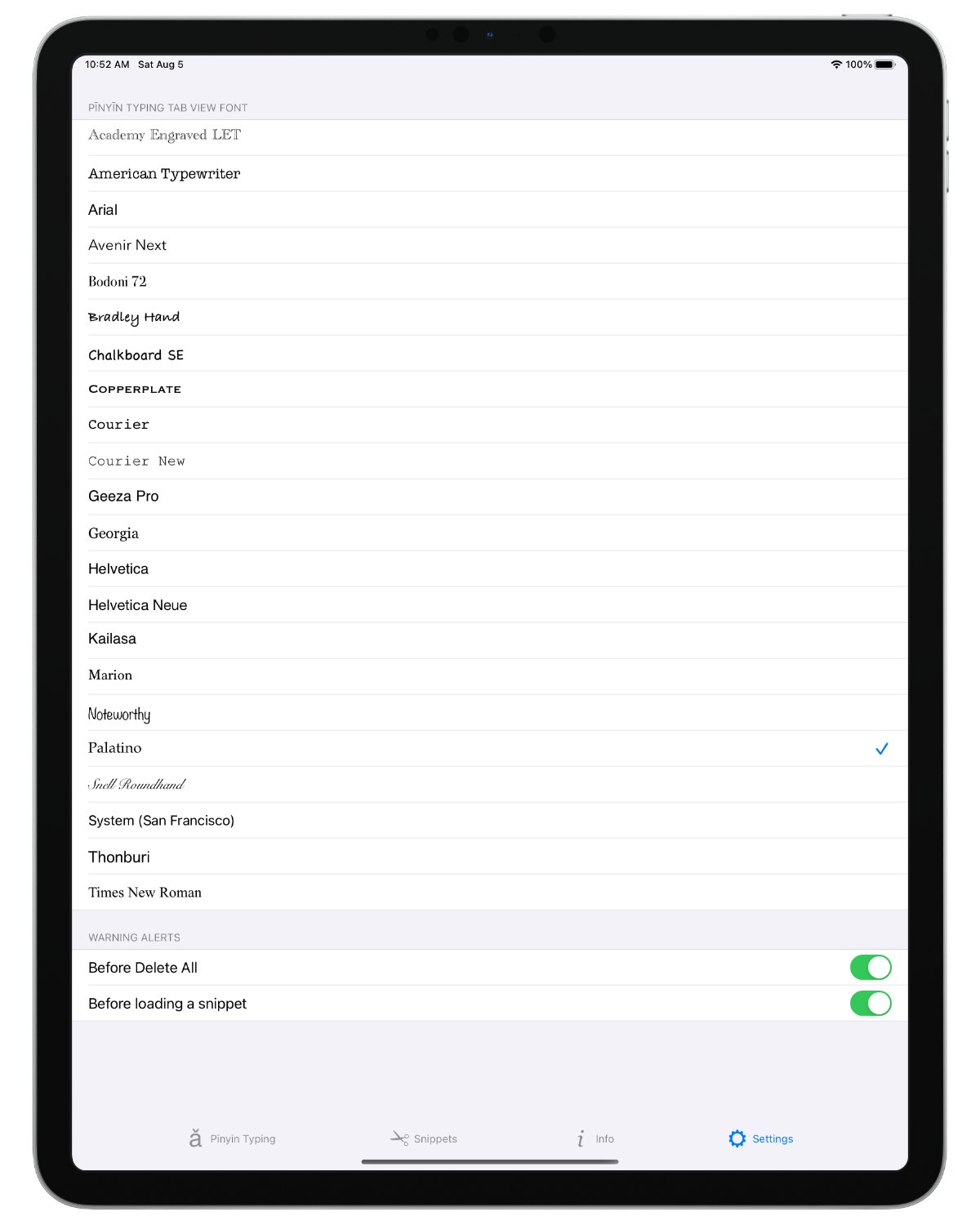
- In the Settings tab view:
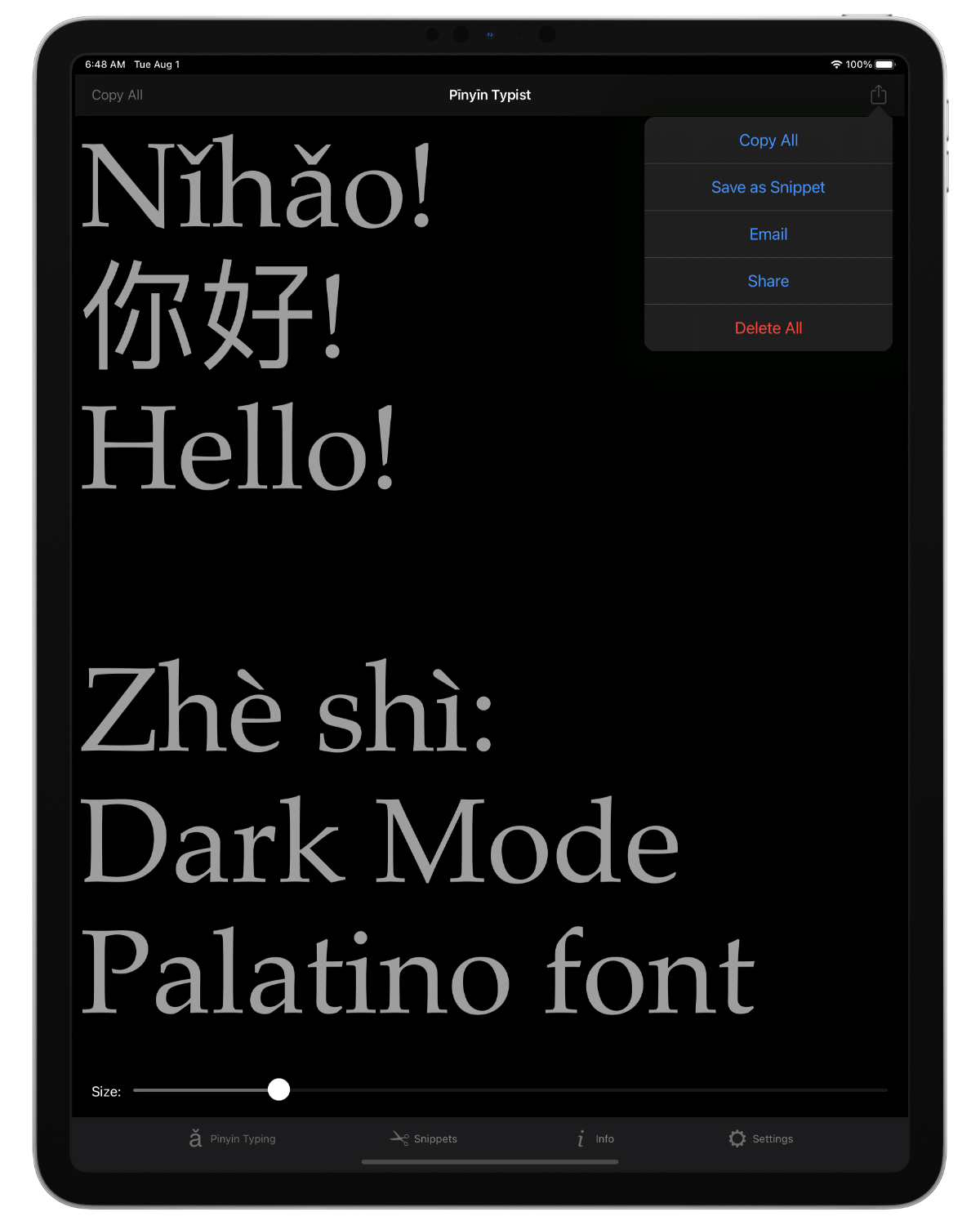
- You can set the Night Theme, which changes the text and background colours to be easier on the eyes, especially at night.
- You can select whether you will receive a warning before:
- Carrying out the Delete All command
- Loading a snippet and thus replacing all the text in the Pīnyīn Typing tab view
- You can select the font for the text in the Pīnyīn Typing tab view.
- All font choices have been tested to ensure the proper rendition of the Pīnyīn vowels before being made available.
- Pīnyīn Typist supports multitasking. You can switch to another app, and then when you switch back to Pīnyīn Typist, you can pick up right where you left off. When Pīnyīn Typist gets shut down, it remembers what you were working on in the Pīnyīn Typing tab view and restores it the next time it is started. Even the text size is restored.
Pīnyīn Text With Formatting
Pīnyīn Typist produces Unicode plain text, which can be used to produce, among other things, Markdown, MultiMarkdown, HTML/XHTML, and CSS code. When such code is rendered in supporting environments, formatting can be seen that’s like the formatting seen in web pages:
- bold
- italic
- colours
- font settings
- headings
- bulleted and numbered lists
- links, etc.
Below are some simple code examples. (The onscreen keyboard buttons for the special characters can be accessed using the .?123 / 123 and #+= buttons.)
-
bold
- Markdown: **bold**
- HTML: <b>bold</b>
-
italic
- Markdown: _italic_
- HTML: <i>italic</i>
-
bold italic
- Markdown: **_bold italic_**
- HTML: <b><i>bold italic</i></b>
(For more information on how to use such code for formatting, check out the following links: Markdown; HTML; CSS.)
One way to take advantage of HTML and/or CSS formatting code is through the HTML emails that you can send from Pīnyīn Typist, as noted above:
- In Pīnyīn Typist’s Pīnyīn Typing tab view, type Pīnyīn text along with whatever other text you want to type using iOS’s international keyboards, incorporating HTML and/or CSS formatting code where you want formatting to be.
- Then, tap the button at the top right and select Email text.
- The HTML and/or CSS formatting code will be rendered in the resulting HTML email.
(Actually, entire web pages with their various kinds of formatting could be written using Pīnyīn Typist, since web pages are made up of code that is written using plain text, such as HTML, XHTML, and CSS code.)
Another possible workflow, using Markdown code, could be:
- In Pīnyīn Typist’s Pīnyīn Typing tab view, type Pīnyīn text along with whatever other text you want to type using iOS’s international keyboards, incorporating Markdown formatting code where you want formatting to be.
- Thus, you can indicate formatting as you write, instead of having to remember where you want formatting to be and then adding it manually later in another app, like Pages.
- Copy what you typed in the above step to the clipboard, perhaps using the convenient Copy button at the top left.
- Paste it in an app that supports Markdown, e.g. Byword.
- If you paste the text to Byword, you can preview the Markdown code output there. You can also use Byword’s Export feature to produce an equivalent HTML file (in other words, an equivalent web page).
- You can then take that HTML file (web page) and view it in a web browser or in a web view in an app like GoodReader. You can also convert that HTML file’s output into a PDF file, print it out on paper, etc. The formatting you indicated with the Markdown code you incorporated in Pīnyīn Typist will be rendered.
System Requirements
As a universal app, Pīnyīn Typist is a single binary that is optimized for your iPad, and also optimized for your iPhone or iPod touch.
The current version of Pīnyīn Typist requires iOS/iPadOS 13.0 or greater. (Older versions of Pīnyīn Typist may be available from the App Store for versions of iOS older than 13.0.)
Education Discount
Educational institutions can get a 50% discount off the price of Pīnyīn Typist in quantities of 20 or more. For more information, go to Apple’s Volume Purchase Program page.
Feedback and Support
If you have some nice things to say about Pīnyīn Typist, please leave a positive review for it in the App Store. 😊
Please email feedback and support questions to support@troubadourworks.com.
Privacy
The Pīnyīn Typist app does not collect any data.
Click or tap on this button to follow TroubadourWorks on Twitter, for tweets on Pīnyīn and the post-PC revolution:
Click or tap on this badge to go to Pīnyīn Typist’s Facebook page:
Pīnyīn Typist | Promote Your Page Too
Enjoy using Pīnyīn Typist!